

This week we’re rolling out dashboard-to-deck automation for instant campaign wrap-up reporting, plus customer segments + lookalike audience discovery to help you find the right shows faster. Let’s dive in!
Dashboard to Deck Automation
How much time do you spend pulling screenshots, manually copying metrics, and stitching together performance slides for client presentations?
What if you could turn the insights from your Podscribe dashboard into a client-ready deck in just seconds?
Our new Overview Presentation Export feature does just that.
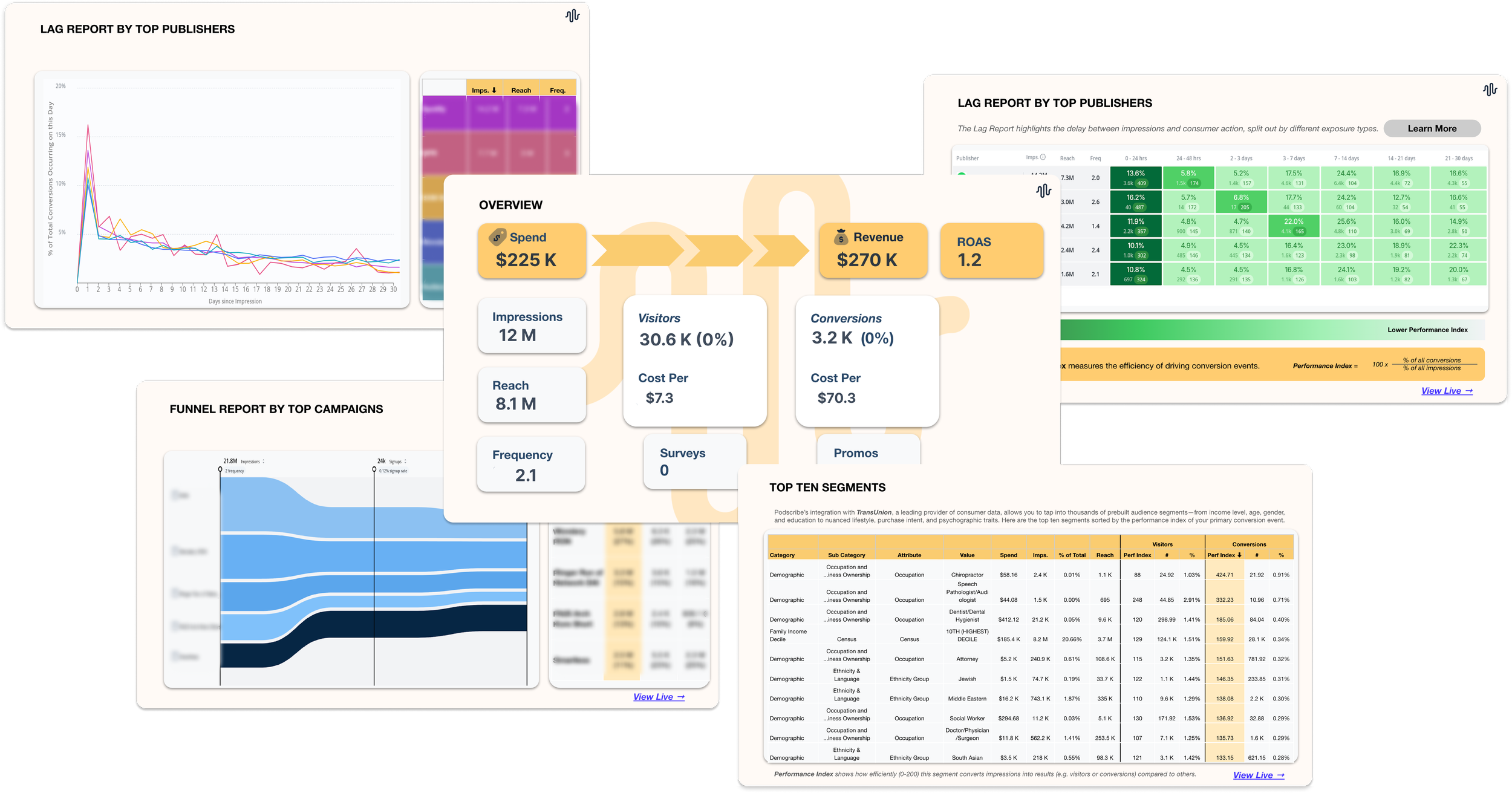
What it is:
A new export feature that generates a Google Slides presentation summarizing media performance directly from your Overview tab, based on your selected timeframe. The deck includes key topline metrics, insights across tabs such as Audience Segments, Geo, Lag Report etc. (along with links), and incrementality results, plus charts auto-filled from your data.
Why it matters:
Save hours on reporting. Turn your dashboard into a presentation in seconds.
Look more polished for clients. A consistent, professional deck every time.
Keep performance narratives tight. Spend time on insights and action, not screenshots.
Make Podscribe data more shareable. Easy to circulate internally or externally.
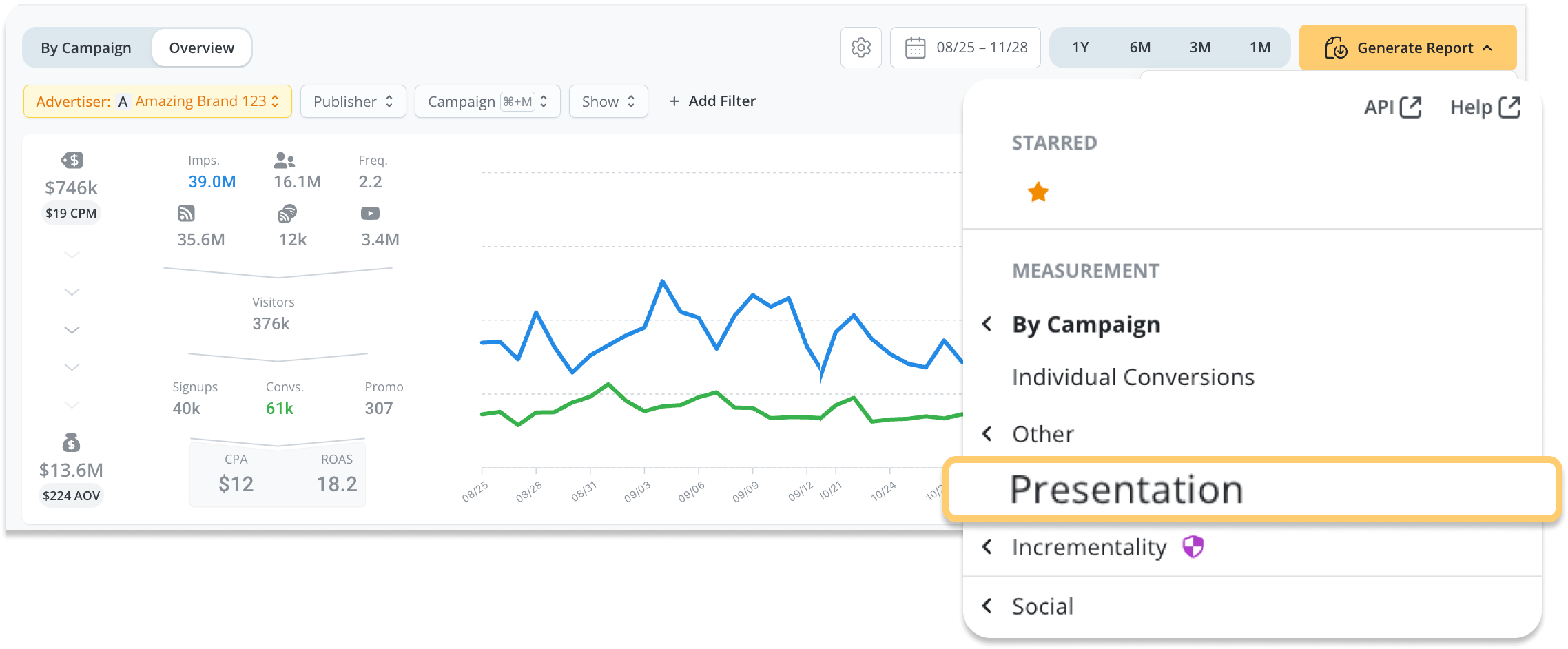
Getting Started:
Navigate to your Overview tab.
Customize your presentation report by refining the attribution settings
Adjust any desired filters by Campaign, Show, Campaign Geo, Campaign Tags, Episode, Media Type, or Publisher
Set your desired date range.
Click Generate Report → Presentation.
Podscribe creates a Google Slides deck and provides a shareable link.
Customer Segments and Lookalike Audience Discovery
Instantly see and understand who your customers are and immediately use that insight to discover the best podcasts to reach more people just like them – at no extra cost!
Customer Segments: Get to know your customers
Brought to you by Podscribe’s partnership with TransUnion, brands and publishers can see detailed demographic and behavioral insights about their site visitors and customers directly in Podscribe. This profiling reveals:
Who your customers actually are
What segments they fall into
How these audiences compare across campaigns
Podscribe provides this data in our dashboard for integrating your pixel at no extra cost and no additional set up.
Get Started:
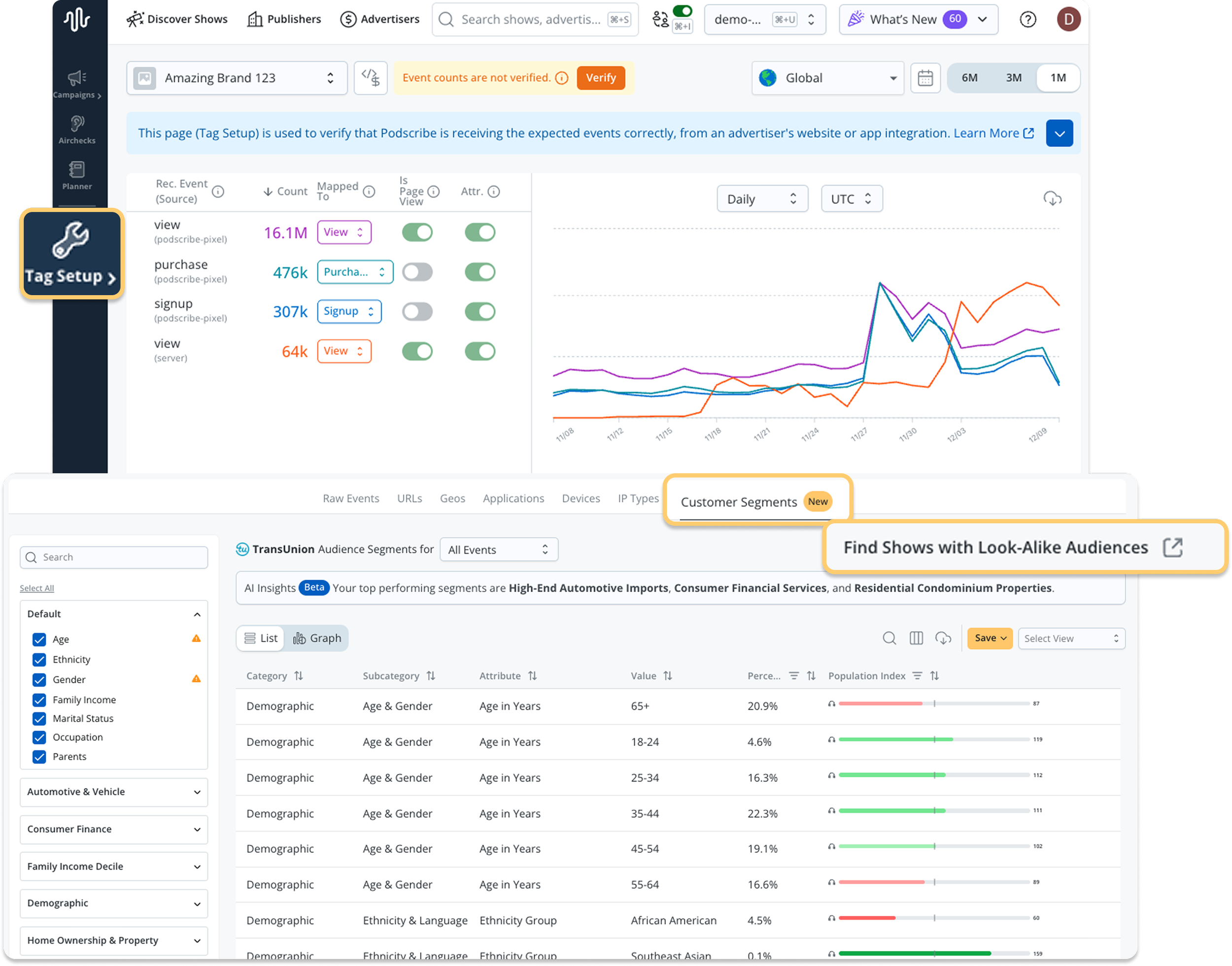
Click Tag Setup from the left navigation menu
Select the Advertiser
Click Customer Segments from the menu under the graph to see who and what customer segments make up your visitors/customers.
To discover shows with lookalike audiences, click Find Shows with Look-Alike Audiences to launch Podscribe Planner
2. Turn insights into action: Find shows with lookalike audiences in Planner
Audience insights are only useful if you can do something with it. That’s where the Podscribe Planner comes in.
With a simple click, you can jump directly from your customer insights into Planner to discover lookalike podcast shows (shows with audiences that most resemble your customers).
This feature:
Helps advertisers expand reach efficiently
Helps publishers understand where overlapping audiences exist
Makes it easy to plan high-quality outreach based on real data
While this shortcut appears inside Tag Setup, it also fully lives in the Planner where campaign planning naturally occurs.
Get Started:
You may follow the steps above and get to this section of planner from Tag Setup or you can start by clicking Planner directly from the left navigation.
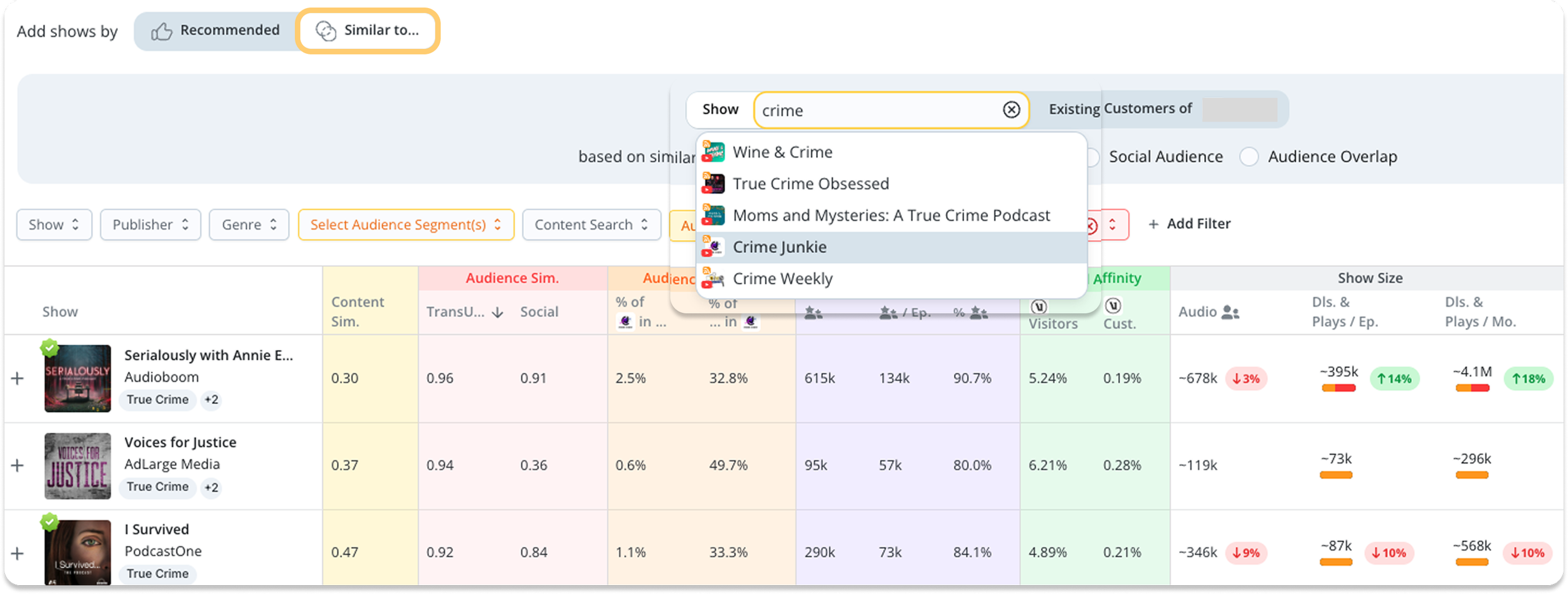
Then select Add shows by ‘Similar to…’
Next, select ‘Existing Customers of [brand name]’
Now you should see a full list of shows with details on audience similarity, net-new reach, brand affinity and much more!
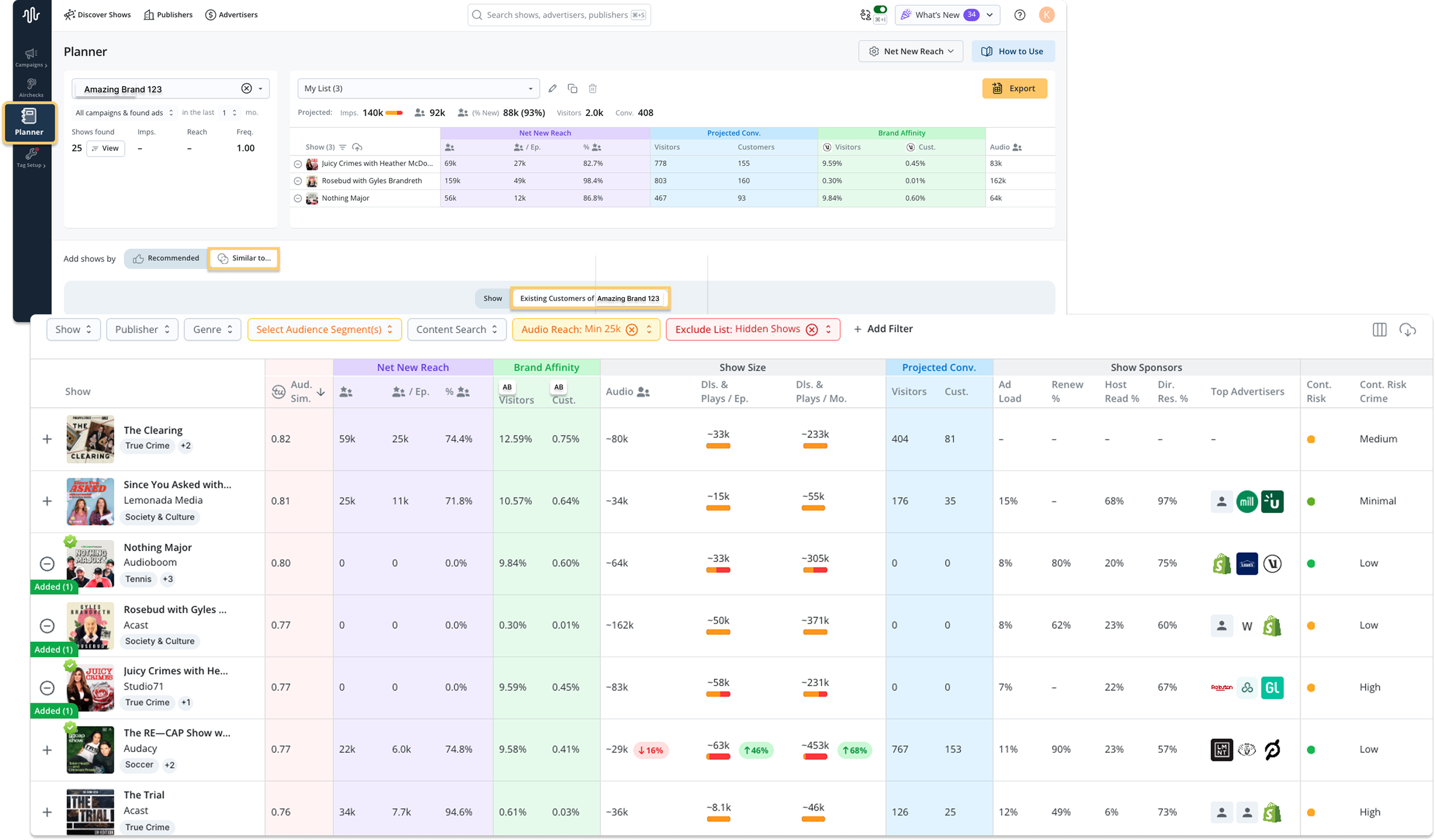
In addition to just uncovering shows with similar audiences to your customers, you can zoom into specific high-performing shows and find more shows that way as well.
Select Show and then type in and select the show you want to see more similar shows against.
This is just a taste of what the Podscribe Planner can do. Learn more about all the capabilities here→.
Want to explore more?
These updates are live in your dashboard, go check it out! →
Need help getting started or want a quick walkthrough?
Reach out anytime at adops@podscribe.com or request a demo.
