

SiriusXM Radio Airchecks, Automated Pixel Email Scheduling & Podcaster Logins for Publishers
We’ve rolled out a set of updates designed to make attribution clearer, workflows smoother, and reporting more consistent across the board.
Here’s what’s new and why it matters.
SXM radio airchecks are now live!
Podscribe Radio Airchecks now support SiriusXM inventory, giving you visibility into ads running across SXM stations with the same trusted workflow you already use.
What this means for you
You can now:
Verify that ads actually aired on SiriusXM stations or shows
See exactly where and when they ran with full aircheck details(show, timestamp, transcript)
Track campaign performance in near real-time as matches come in
No longer a blind spot, you can now see the details of your SXM radio campaigns.
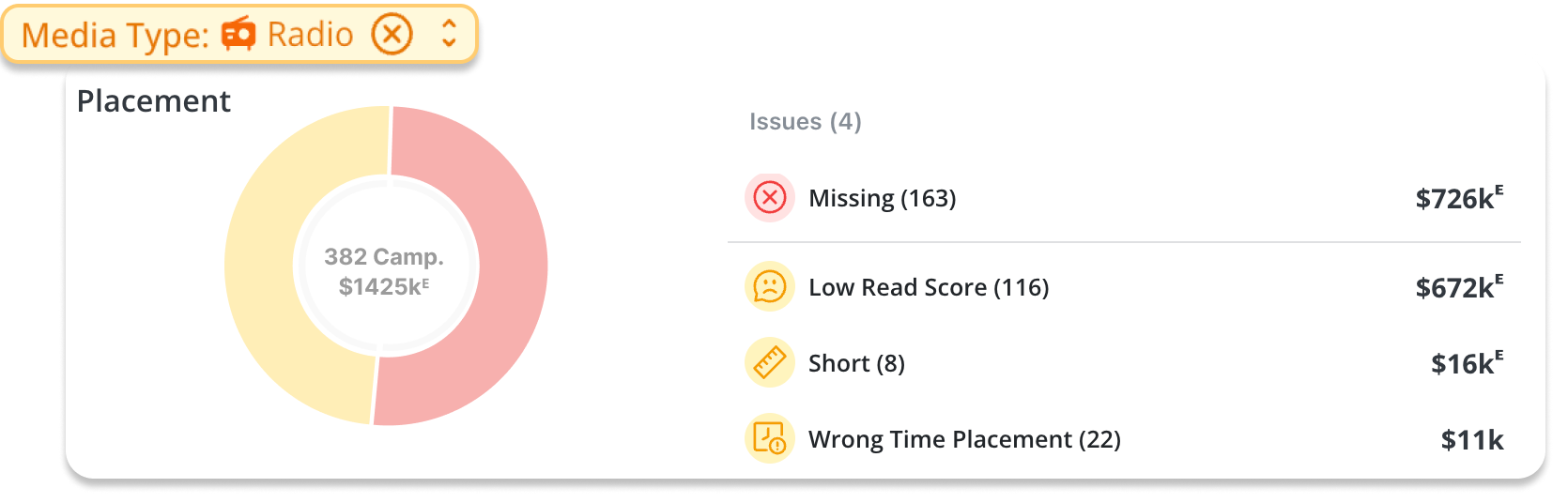
We’ve extended our radio aircheck pipeline to include:
SiriusXM station stream recording
Transcription of ad content
Matching to your campaigns
And we’re continuing to expand station coverage and refine mappings to improve match rates over time.
A couple notes to keep in mind…
Some SiriusXM XTRA channels that do not typically run ads aren’t included
Like all radio airchecks, there may be a slight delay between airing and match availability
Automated Pixel Email Scheduling
Sending pixels through bulk emailer is convoluted… Therefore, we’ve made an update to automate pixel-sending for our users.
You can now automatically send bulk pixel reportswith flexible scheduling, so your partners always get the data they need at a regular cadence. Podscribe will auto-detect new campaigns that have not had a pixel emailed yet and will email them on a weekly basis or at your desired cadence.
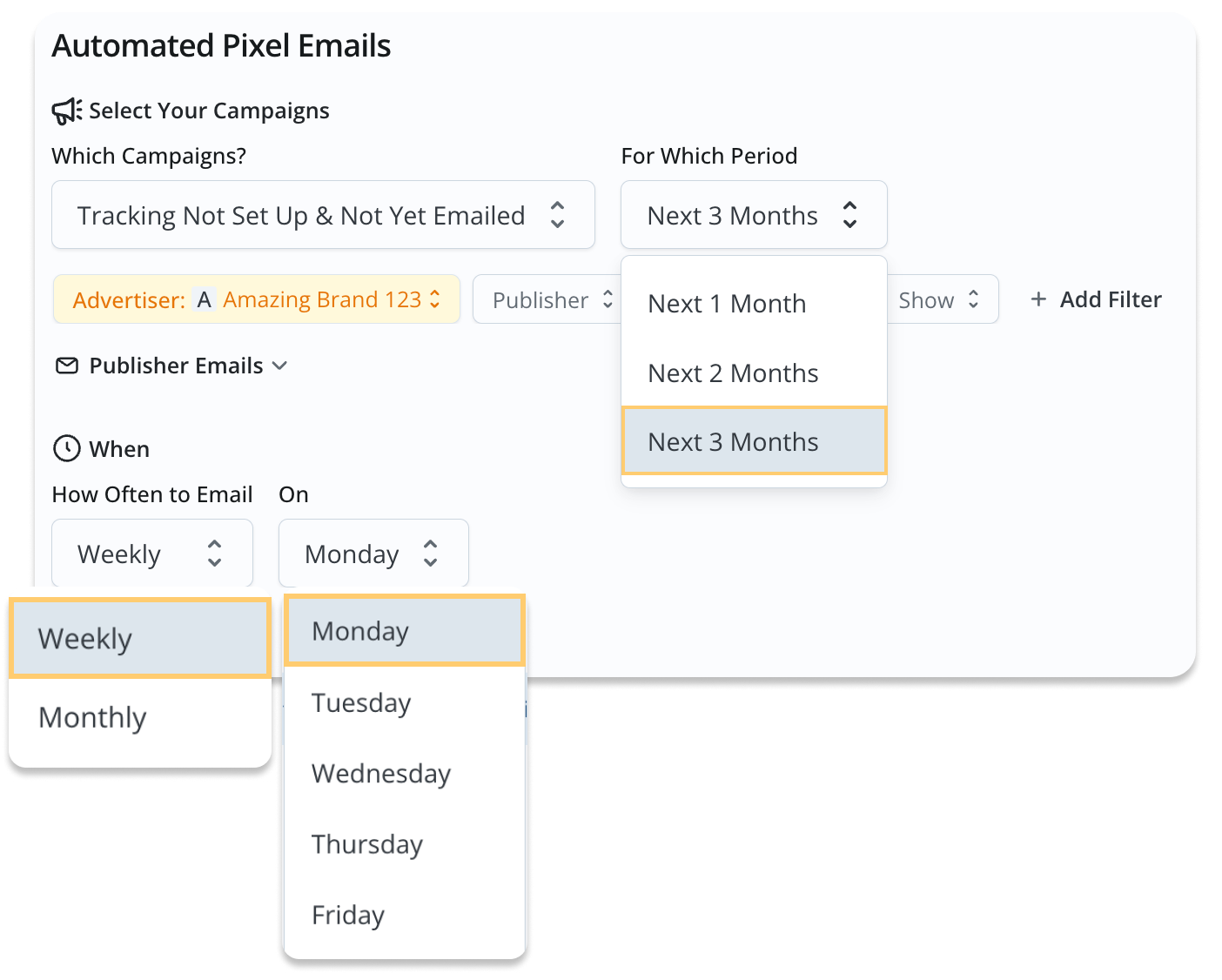
Why this is helpful
Ensures publishers always have what they need ahead of time
Reduces manual work for your team
To make sure everything runs smoothly, confirm every publisher has an email address configured
Podcaster Logins for Publishers
We’re making it easier for publishers to share performance data directly with their podcasters without exposing their full account.
With podcaster logins, publishers can now:
Give individual podcasters access to their own show-level performance, audience and aircheck data
Keep access scoped to specific shows (no cross-show visibility)
Reduce manual reporting and back-and-forth with creators
How it works
Navigate to Account Settings → Go to Podcaster Logins → Click Invite Podcasters → Enter the podcaster’s email and select their show(s) → Send the invite for them to create/sign in to their account. Check out our help article on sending invites here.
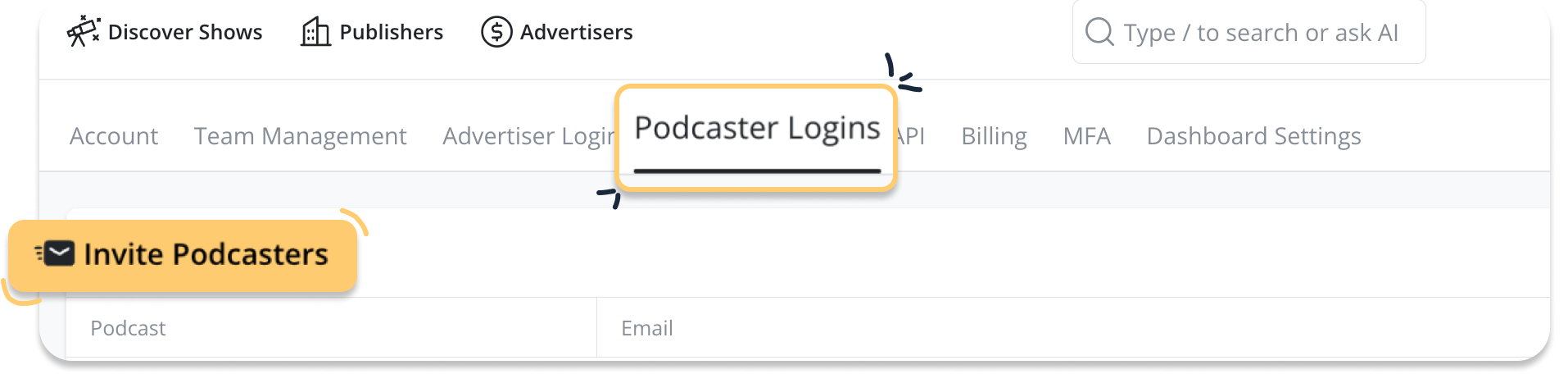
Once invited, the podcaster will only be able to view data for the show(s) you assigned, keeping everything else in your account private.
This makes it easier to keep everyone aligned, informed, and focused on performance.
Note: Podcaster Logins are available only to publisher admins/owners. If you don’t see “Podcaster Logins” in Account Settings, contact your team’s account admin to enable access.
These updates are built to help make attribution more transparent, workflows more automated, and partnerships more seamless.
SiriusXM Airchecks → clearer proof of performance
Publisher Logins → better collaboration
Automated Pixel Reports → less manual work, more consistency
More visibility. Less friction. Better outcomes.
Need help getting started or want a quick walkthrough?
Reach out anytime at adops@podscribe.com or request a demo.
